
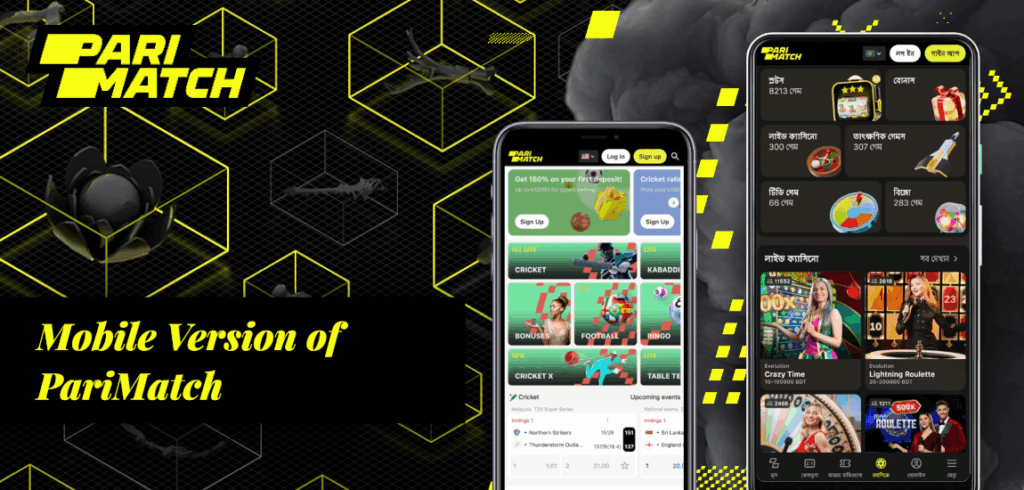
While on the go, or even can’t use a computer, the mobile version of PariMatch site allows betting fan to register at betting site, view betting options and place a line bet. Mobile site also has on the apps links for iOS and Android, info on promotions at BK, and contact details for support.
Top. The home page, PariMatch website, is a listing of major sporting events Combats of the day, focusing on the top section, most anticipated matches. They are categorized by sport, at the top is football, and the rest are other sports are listed lower. To view other events of a particular sport, swipe to the right.
Betting at PariMatch Pakistan is on the website, and like most betting sites, there is also a version for smartphones. Apps for Android and iOS are also available for users who want mobile betting. We are going to tell you about the apps available on popular mobile platforms and how they differ from the site’s desktop version.
Sports. Betting line. Each sport has its own section. There is a number next to each discipline name indicating how many matches that sportsbook is accepting bets on. Matches are organized by region, country, and tournament: The user first sees the discipline names, then, within this filter, is the country and tournament name sorting. Games of interest can be marked as Favorites. This area is found in the bottom panel as well as the PariMatch mobile version menu. The menu is a bit unusual: it expands when you click on the sportsbook’s logo at the bottom of the screen.
Live. Live betting matches. The total number of these events is counted and displayed at the top of the screen. Matches are categorized by sport. Events that have video streaming are marked with a play button. You only have to be logged to the mobile site to watch videos, there’s no balance requirement. The videos play in the sportsbook’s proprietary player and can be viewed in fullscreen.
My bets. History shows all bets placed and settled and bets that are currently open. Live section bets that are open have the cashout option, which is an offer to take bets prior to the bet being settled.
Betting settings. In the “My Account” menu tab, you can modify your betting settings including agreeing to changes to the cashout and odds amounts.
How to install PariMatch on Android
Due to the company’s gambling policy, bookmaker apps are unavailable on the Google Play store. You need to manually download the apk file that requires installing, which can be done by using the link above or going to the official website for the PariMatch bookmaker on the mobile phone you would like to install the application on. Once it is downloaded, you need to agree to installing apps from unknown sources.
How to install PariMatch on iOS
You can find the PariMatch BC application for your iPhone and iPad on the official App Store.
Mobile version
The mobile version of PariMatch is another alternative for those who do not want to use mobile apps. Some components of the PariMatch interface have been “moved” to create more room. On the home screen, you will only see the tabs you use to place bets. The remaining sections are found in a drop-down menu under the logo.
The mobile version does not have a Quick Bet feature, a Soon to Live section, or complete results and statistics.
How to Bet in the PariMatch App
Both apps for iPhone and Android devices are decent, but there are still some gaps when compared to what the competition is offering. Users have the ability to place live bets and track sports in real time, and there is even a section for live video streaming. Though, they do not have a statistics section, nor do they have a chat feature for direct support.
Betting events are organized into two main sections, labeled as “Live Betting” and “Home – All Matches”. You are also able to filter the games by sport, and by the country they are being played in. One of the advantages of the mobile site and apps is that they have a search feature, which the desktop version does not have. The search form is hidden under the bookmaker logo at the bottom of the screen.
In order to place a bet in the PariMatch iOS or Android application:
- Look for the event using the sports filter or by searching.
- Select the odds corresponding to the bet.
- In the window that pops up with bet details, either enter the amount for a single bet or select “Add to Coupon” to save the event.
Making a Deposit and Withdrawing your Winnings
You can deposit to your BK PariMatch betting account in the following ways:
- Visa, MasterCard, or another credit card.
- Digital wallets
- Cell phones
- Payment ATMs
- Online banking
You can withdraw funds to:
- Visa, MasterCard, or another credit card.
- Digital wallets
- Directly to an account.
The payment system determines the minimum withdrawal amount.